How to Set Up Instagram and Facebook DM Automations in OneUp
Set up keyword-triggered DM automations on Instagram and Facebook in OneUp — no flowchart required, and no per-contact billing...
Contents
How to Set Up Instagram and Facebook DM Automations in OneUp
You post a Reel, it takes off, and fifty people comment "LINK" while thirty more DM you "PRICE." Answering them by hand is an afternoon's work — and by the time you reply, half have moved on. DM automation fixes that: someone comments or messages a keyword, and your account sends the right DM back in seconds.
OneUp builds that flow into the scheduler you already use to publish: pick a keyword, write the DM once, and the automation runs on Instagram and Facebook whenever the keyword appears.
Quick verdict
If your goal is keyword-triggered DMs on Instagram and Facebook alongside your scheduling, OneUp covers it in the $15-a-month plan you publish from — while ManyChat is the deeper chatbot tool, and its free plan now covers only 25 active contacts a month.
- OneUp's DM automations run on Instagram and Facebook, triggered by a comment or DM keyword; a comment trigger can send a public reply, a DM, or both.
- Instagram has no native comment auto-reply; Meta Business Suite's free automation is desktop-only, caps each rule at five exact keywords, and waits 15 minutes.
- ManyChat's Flow Builder handles branching conversations and AI replies — depth OneUp does not match — but it bills per active contact and does not schedule posts.
- Automations live in Social Inbox → Automations, and apply to all posts, future posts only, or one specific post.
What Instagram and Facebook offer natively
On Instagram itself, a professional account gets messaging shortcuts, not automation: saved replies you tap manually, up to four FAQ answers, and Hidden Words filtering. Nothing replies on its own, and there is no native comment auto-reply, no keyword trigger in the app, and no way to make a link clickable in a comment — which is why the working pattern is comment-to-DM.
Meta Business Suite, on desktop, goes one step further: Inbox → Automations offers an instant reply, an away message, keyword replies, and a "Comment to message" template. Each rule holds up to five keywords, matching is exact and case-sensitive, replies go out after 15 minutes unless you answer first, and Meta caps it at one DM per comment, within 7 days. Facebook is similar, but you cannot carry one automation across both networks from a single screen. If you want the same keyword on both networks, a public reply as well as a DM, and per-post control, you need a tool.
Where ManyChat goes deeper — and where OneUp fits instead
ManyChat is a dedicated chat-marketing platform, not a scheduler. Its visual Flow Builder lets you drag message blocks, conditions, tags, and delays into branching conversations, collect answers into custom fields, and run follow-up sequences over days. Its AI Steps hold short goal-driven conversations. If you run quizzes, lead-magnet funnels, or multi-day nurture sequences in DMs, ManyChat is the deeper tool, and OneUp does not match that full chatbot feature set.
ManyChat's pricing changed in March 2026: it now bills per active contact — a real person you interact with during a billing month. Free is $0 (25 contacts, 2 channels, up to 4 live automations); Essential $17 a month ($14 billed annually, 250 contacts); Pro $39 ($29 annually, 2,500 contacts, first plan with WhatsApp, SMS, email, and AI replies); Business $99 ($69 annually, 7,500); Advanced $199 ($139 annually, 25,000), plus an overage fee per extra contact. It covers Instagram, WhatsApp, Messenger, TikTok, Telegram, email, and SMS — but it does not schedule posts at all. See our best ManyChat alternative guide and OneUp vs ManyChat.
OneUp fits a narrower job: the keyword-triggered DM most creators actually use — someone comments "GUIDE" and gets the link — built into the tool that already schedules the post. OneUp bills per social account, not per contact: Basic is $15 a month billed annually ($25 monthly) for 5 accounts, extra accounts $5 each. No contact count to watch, no overage fee when a post goes viral. The trade-off is scope: OneUp's automations send a DM, a public reply, or both. They do not branch into multi-step conversations.
How to set it up in OneUp
Setup takes about five minutes once your accounts are connected. The steps follow OneUp's own help center articles on DM automations.
Step 1: Connect your accounts. In OneUp, go to Accounts and connect your Instagram Business or Creator account and your Facebook Page. DM automations need a professional Instagram account.
Step 2: Allow access to messages. In Instagram's settings, turn on "Allow access to messages" under Connected tools — this lets a tool reply in your DMs through Meta's official API. On Facebook, make sure your Page's messaging is enabled.
Step 3: Open Automations. In OneUp, go to Social Inbox and click Automations. DM automations and comment auto-replies live here side by side; on Instagram and Facebook, the same keyword can send a DM, a public comment reply, or both.
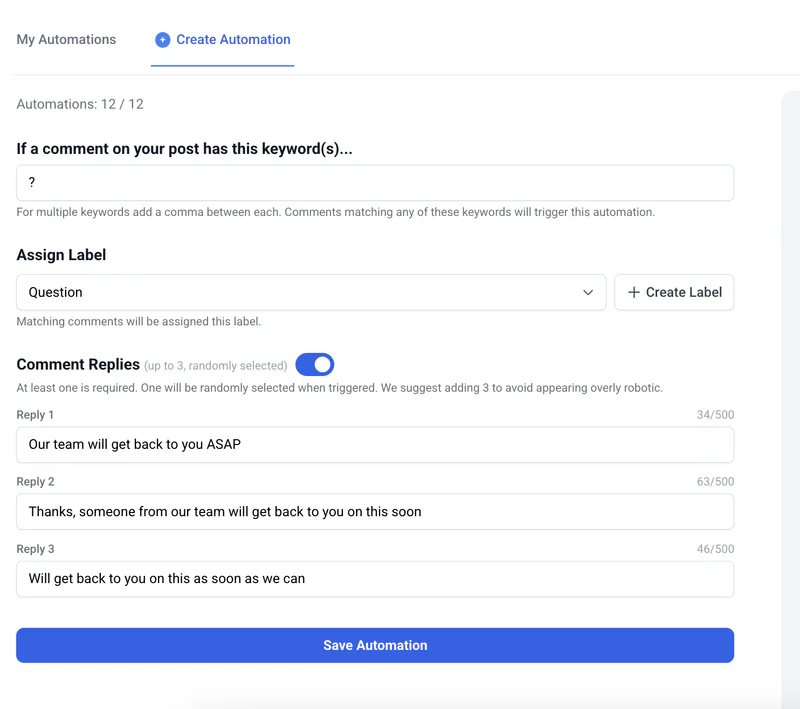
Step 4: Choose the account and the trigger. Pick the account or Page, name the automation ("Reel — GUIDE lead magnet"), and choose the trigger: a keyword in a comment, or a keyword in a DM. For a comment trigger, choose what fires: a public reply, a DM, or both — most creators choose both, so the public reply ("Sent you a DM!") shows the keyword works while the DM carries the link.
Step 5: Add the keyword and write the DM. Add the keyword — short single words work best, like GUIDE, PRICE, or LINK — and write the DM. Put the link in the DM, not the comment: links are not clickable in Instagram comments. Scope the automation to all posts, future posts only, or one specific post.
Step 6: Create it before you publish. Automations only fire on new comments and DMs that arrive after you create them, so set it up before the post goes live. Schedule the post in OneUp first, then create the automation scoped to that post.
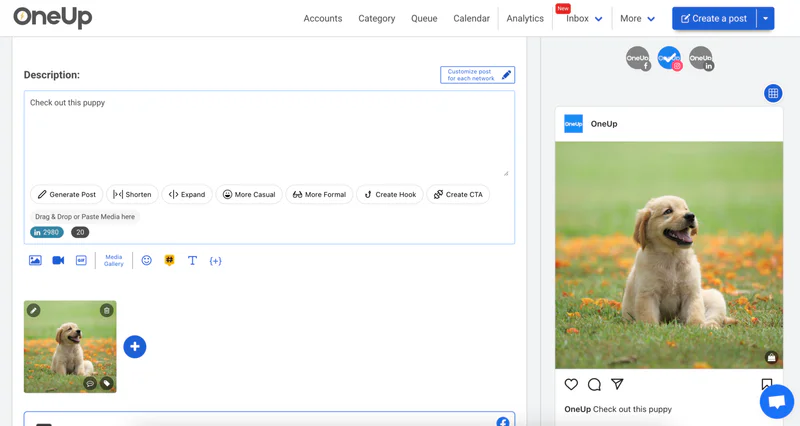
Step 7: Test it. Comment the keyword from a second account and check the DM arrives with the right link. If nothing arrives, re-check Step 2: "Allow access to messages" is the setting most often missed.
For the comment auto-reply side, see our guide to auto-replying to comments on Instagram. For the cost of running a scheduler plus a chatbot, see the social media scheduler pricing comparison.
Example keyword → DM pairs
"GUIDE" → lead magnet. End a Reel with "Comment GUIDE and I'll send you the full checklist." The DM: "Here's the checklist — [link]. It covers the five steps from the video, plus the template I use every week."
"PRICE" → rates or booking. A photographer or coach posts recent work: "Comment PRICE for rates." The DM: "Thanks for asking! My packages are here — [link]. The middle tier is the most popular."
"MENU" or "BOOK" → local business. A café posts the week's special: "Comment MENU for this week's menu." The DM sends the link immediately. On Facebook, pairing the DM with a short public reply ("Sent! Check your inbox") shows other commenters the keyword works.
Staying safe: what not to automate
Automate only on your own posts and accounts, through Meta's official API — which is what OneUp uses. Never automate DMs or comments on other people's posts, never message people who have not interacted with you first, and never buy or scrape contact lists. Meta allows one DM per comment, within 7 days of that comment, and follow-ups must stay inside the 24-hour window after the person's last message. Those limits are Meta's, not OneUp's, and any tool promising to ignore them puts your account at risk. Keep automations honest, and review them when an offer changes.
FAQ
Can I set up Instagram DM automations without ManyChat?
Yes. OneUp's DM automations run on Instagram and Facebook from Social Inbox → Automations, with a keyword trigger from a comment or a DM — no separate chatbot subscription needed.
Do DM automations work on Facebook as well as Instagram?
Yes. The same setup covers both: a comment keyword can send a public reply, a DM, or both, on either network.
Will OneUp DM people who have never interacted with my post?
No. Automations only fire when someone comments your keyword or messages you first, and Meta allows one DM per comment within 7 days of that comment.
Try it on your next post
Set up one keyword on your next Reel or Facebook post and watch the DMs arrive while you do something else. OneUp's 7-day free trial includes DM automations on every plan — test the exact flow in this guide before paying anything.
OneUp
OneUp is a social media management tool. Scheduling, cross-posting, analytics, social inbox, DM automations, social listening, and API & MCP, all in one place.
Visit Site