How to Switch from Statusbrew to OneUp Without Losing Your Queue
Move from Statusbrew to OneUp without losing your queue: export, bulk-upload, and rebuild approvals in a weekend...
Contents
Switching from Statusbrew to OneUp is straightforward, but it is not automatic. There is no one-click importer that moves your scheduled queue, approval flows, and listening queries from one scheduler to another. Instead, you export your scheduled posts from Statusbrew, reconnect your social accounts in OneUp, bulk-upload the queue, and rebuild the few workflows that only exist inside Statusbrew. Done in the right order, you can move in a weekend and run both tools in parallel for a week without a single missed post.
Quick verdict
Move to OneUp if you want approvals from $48 a month instead of $229, Snapchat and Discord in the same scheduler, and unlimited scheduled posts on Growth and Business — but expect to rebuild approvals and listening queries by hand.
- Statusbrew Lite starts at $69 a month billed annually for 5 profiles; OneUp Basic starts at $15 a month billed annually for 5 accounts.
- Statusbrew's bulk CSV upload handles up to 400 posts per batch; OneUp's bulk upload handles up to 100 posts per batch via CSV or Google Sheet.
- Neither tool posts to Reddit: Statusbrew's own help page says you cannot publish to Reddit from Statusbrew, and OneUp monitors Reddit through social listening only.
- Statusbrew's help pages say it can help migrate available post, conversation, and reporting data when you switch — ask support before exporting anything yourself.
What transfers cleanly
Your scheduled posts are the easy part. Statusbrew's bulk scheduling runs on CSV uploads, and OneUp's bulk upload accepts CSV files and Google Sheets, so an exported queue maps neatly onto the importer — text, links, and scheduled times included.
Your social accounts reconnect in minutes. OneUp covers Facebook, Instagram, X, LinkedIn, TikTok, YouTube, Pinterest, Threads, Bluesky, Snapchat, Discord, and Google Business Profile, so every network you scheduled to in Statusbrew — except WhatsApp Business, LINE, and Trustpilot — has a home in OneUp. OneUp's social inbox is included on every plan, so comments and DMs keep flowing into one place, and its recurring posts replace Statusbrew's evergreen scheduling on every plan. For the full head-to-head, see the Statusbrew vs OneUp comparison.
What does not transfer
Approval workflows do not survive the move. In Statusbrew, approvals are a Premium-only feature, so they live in Statusbrew's system and must be rebuilt in OneUp, where post approvals start on the Intermediate plan at $48 a month billed annually — Basic does not include them. Plan an afternoon to recreate your approval chains and re-invite approvers.
Listening queries do not transfer either. Statusbrew's listening covers X, Instagram, Threads, YouTube, Reddit, and the wider web, but only on Premium and above; OneUp's social listening is included on every plan and monitors Reddit mentions too, but you will set up keywords and tracked terms again from scratch.
Three network gaps deserve a decision first. Statusbrew supports WhatsApp Business, LINE, and Trustpilot, which OneUp does not, so keep a separate workflow for any channel that matters to you. Neither tool publishes to Reddit. And Statusbrew's CSV bulk upload does not handle video, TikTok, or YouTube posts, so video-heavy scheduled posts must be recreated by hand in OneUp.
How to switch in 6 steps
Step 1: Audit and export from Statusbrew. Export everything still scheduled. Statusbrew's help pages say it can help migrate available post, conversation, and reporting data when you switch, so contact support first. Save the export as a CSV and gather the original image and video files for every scheduled post.
Step 2: Connect your accounts in OneUp. Start OneUp's 7-day free trial and connect each social account. OneUp supports 12 posting networks, including Snapchat and Discord, which Statusbrew does not — connect those now if they are part of your plan.
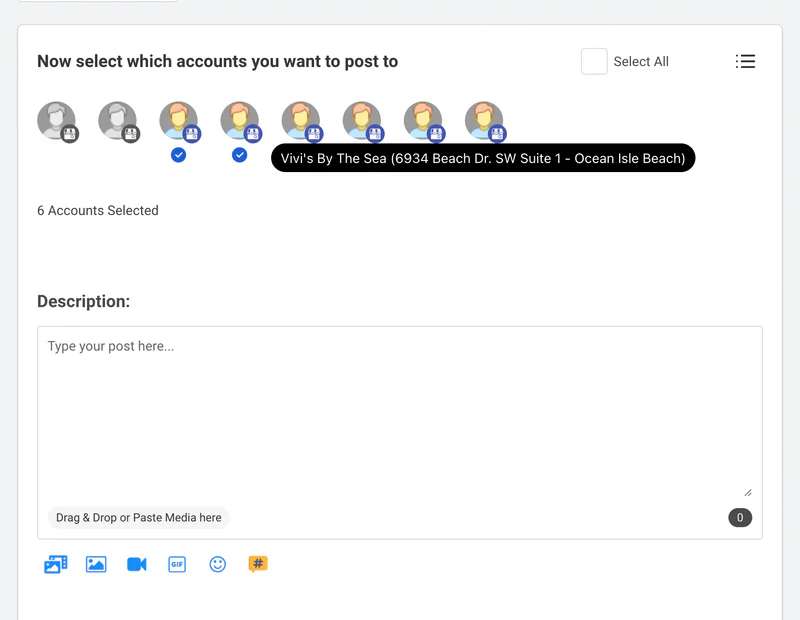
Step 3: Bulk-upload your scheduled posts. Use OneUp's bulk upload to import your CSV or Google Sheet — up to 100 posts per batch, or 50 per batch from your computer. Video, TikTok, and YouTube posts that Statusbrew's CSV export could not carry must be recreated individually in the composer.
Step 4: Rebuild your recurring and evergreen posts. Recurring schedules do not come across in a CSV, so recreate them as OneUp recurring posts.
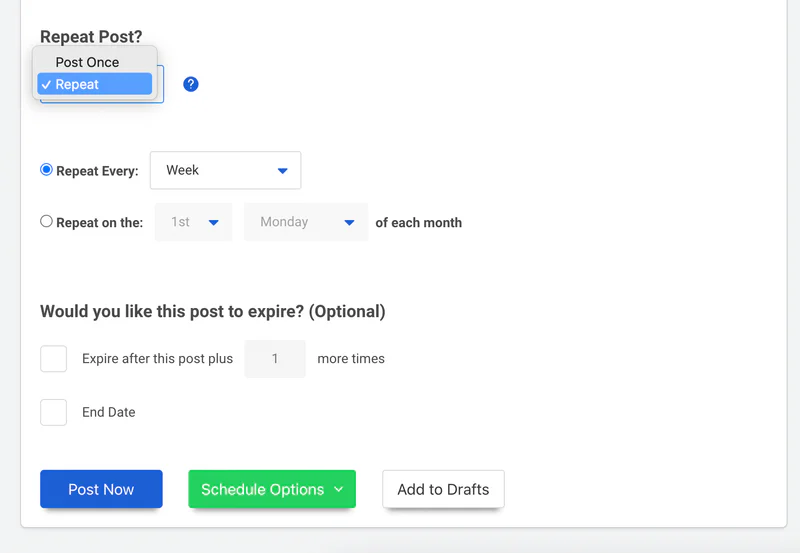
Step 5: Rebuild approvals and automations. If you used Statusbrew's Premium approvals, set up OneUp's post approvals — remembering they start on Intermediate, not Basic. Then rebuild comment automation in Social Inbox → Automations: OneUp offers keyword-based comment auto-replies on TikTok, YouTube, Instagram, Facebook, Threads, Bluesky, and LinkedIn, plus DM automations on Instagram and Facebook.
Step 6: Run both tools in parallel, then cancel. Keep Statusbrew active until your OneUp queue has published cleanly for several days. Once the parallel run is clean, cancel Statusbrew before its next renewal.
Pricing comparison
The price gap is the strongest reason to switch. Statusbrew Lite costs $69 a month billed annually ($89 month-to-month) for 1 user and 5 profiles; OneUp Basic costs $15 a month billed annually ($25 month-to-month) for 5 accounts. Standard is $129 a month billed annually for 3 users and 10 profiles, while OneUp Intermediate is $48 a month billed annually for 15 accounts — and Intermediate is where OneUp's approvals begin. Statusbrew only offers approvals on Premium at $229 a month billed annually ($299 month-to-month), against OneUp Growth at $84 a month billed annually for 30 accounts: roughly $180 a month saved for the same approval capability. See the social media scheduler pricing comparison for the full market picture.
Where Statusbrew wins
Statusbrew's listening is genuinely stronger. On Premium and above it monitors X, Instagram, Threads, YouTube, Reddit, and the wider web, while OneUp's listening is a solid every-plan feature rather than a deep monitoring suite. Statusbrew also covers networks OneUp does not: WhatsApp Business, LINE, and Trustpilot, plus Reddit for engagement and listening. Its bulk CSV upload handles up to 400 posts per batch against OneUp's 100, which matters if you routinely load very large queues.
FAQ
Can I move my scheduled posts from Statusbrew to OneUp?
Yes. Export your scheduled posts from Statusbrew as a CSV, then import them with OneUp's bulk upload — up to 100 posts per batch via CSV or Google Sheet. There is no automatic importer, and video posts must be recreated individually.
Will I lose my approval workflow when I switch?
Yes, your approval setup does not transfer. Rebuild it in OneUp, where post approvals start on the Intermediate plan at $48 a month billed annually. Basic does not include approvals, so check your plan before migrating.
Does OneUp support the same social networks as Statusbrew?
Mostly. OneUp covers the major networks Statusbrew does, and adds Snapchat and Discord, which Statusbrew lacks. OneUp does not support WhatsApp Business, LINE, or Trustpilot, and neither tool publishes to Reddit.
How long does the switch take?
A weekend for most queues: a day to export and upload, a day to rebuild recurring posts, approvals, and automations. Run both tools in parallel for about a week, then cancel Statusbrew before its renewal.
Try OneUp free for 7 days
The cheapest way to decide is to run the migration on OneUp's 7-day free trial: connect your accounts, bulk-upload a slice of your queue, and rebuild one approval flow. If posts publish cleanly and your team likes the calendar, cancel Statusbrew and keep the roughly $180 a month you were spending on Premium approvals. Agencies weighing the move should read the best social media scheduler for agencies guide, and the best Statusbrew alternatives roundup compares the wider field. Start your 7-day free trial today.
OneUp
OneUp is a social media management tool. Scheduling, cross-posting, analytics, social inbox, DM automations, social listening, and API & MCP, all in one place.
Visit Site