Here is how to upload Facebook posts to X automatically, so that every time you post on Facebook, the post gets automatically posted on X (and any other social networks you select).
Using OneUp, you first connect your Facebook account and X account (and any other social network you want to autopost to):
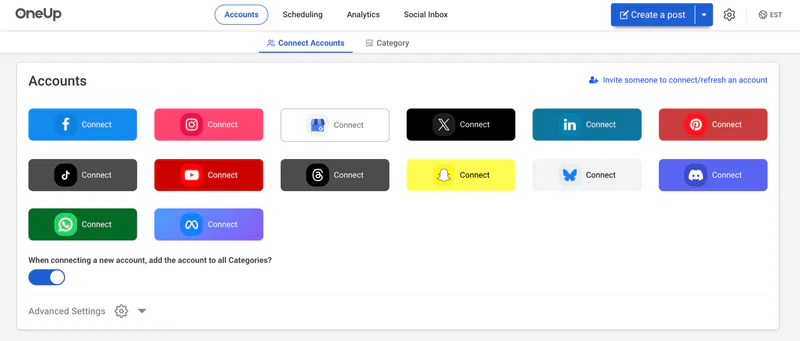
Note that this only works with Facebook Pages (and not personal Facebook profiles).
Then choose “Cross-posting” from the Create A Post dropdown options:

Then choose Facebook as the “Post from” account, and choose X (and any other social network you want) as the “Post To” account:

That’s it! Now moving forward, whenever you post on Facebook, it will automatically post to your X account with 2 hours of the original post.
Or you can optionally choose to add a delay so that it doesnt post to Bluesky until after a few hours or days.
Here is a video showing how the autoposting process works in OneUp:
FAQ
Does this work with both image posts and video posts?
Yes, OneUp’s cross-posting works with both image and video posts. If you publish an image post to the Facebook Page, it will autopost to X. If you post a video post or Reel to the Facebook Page, it will autopost to X.
If I add music to my Facebook post, will that music also be added to the X post?
Yes, it will post the video with the music to X.
So this works even if I post to the Facebook account from the Facebook mobile app?
Yes, this works regardless of whether you post to Facebook from the Facebook mobile app, from facebook.com, or from a scheduling tool.
Does this work for autoposting from Facebook to multiple different X accounts at the same time?
Yes, OneUp’s crossposting feature allows you to autopost from Facebook to multiple X accounts at the same time.