Here is how to find saved draft posts on a personal Facebook profile
While on your mobile device, you may have been typing a post, then when asked “Save This Post as a Draft?”, you chose “Save Draft”.
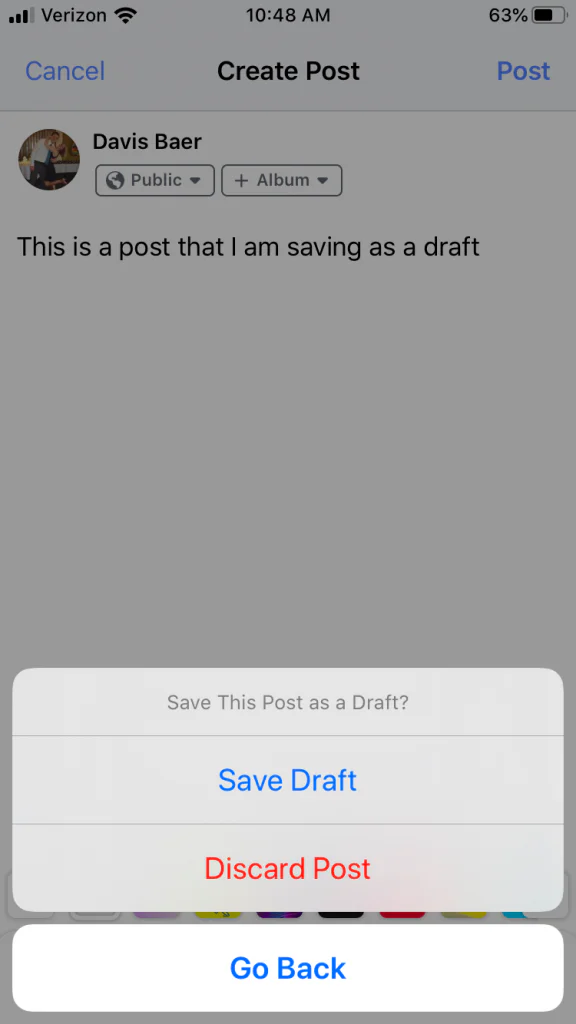
To find this draft again, just create a post again by tapping on the “What’s on your mind?” on your mobile device, and what you had typed before should be there again.

If your Facebook post does not appear here, then unfortunately you are out of luck, and your draft is gone.
There is no Saved Drafts section on Facebook for personal profiles. Facebook used to allow you to save drafts to a folder for personal profiles, but not anymore.
You will also notice that there is no “Save to drafts” option while on Facebook from a computer.
However, if you run a Facebook page, you can still save drafts to your Facebook Page.
Click here to learn how to schedule posts to your personal Facebook Profile for free
Need a social media scheduling tool?
OneUp is a social media scheduling tool that allows you to schedule posts on Instagram, Facebook (including personal Facebook Profiles), Threads, Snapchat, TikTok, YouTube, Google My Business, Pinterest, X, and LinkedIn.

Here are some of the features OneUp has:

