An MCP server for social media scheduling is a bridge that lets an AI assistant like Claude, ChatGPT, or Grok talk directly to your scheduling tool. Instead of opening an app and filling in a form, you tell the assistant what you want in plain language — "schedule this for tomorrow at 2pm" — and it sends that request to the scheduler's MCP server, which carries it out and reports back.
MCP stands for Model Context Protocol, an open standard from Anthropic — a common language for AI assistants and apps. There is no copying and pasting, and no Zapier-style middleman.
Quick verdict
An MCP server turns your AI assistant into a hands-free remote control for your scheduler — but it is only as good as the scheduler behind it, so pick one whose MCP can schedule, reply, and report, not just read analytics.
- OneUp includes API and MCP on every plan, including $15/month Basic, covering scheduling, analytics, and comment replies across 13 networks.
- Buffer and Metricool also offer MCP on every plan, including free plans; Postiz offers an open-source MCP server, and Ayrshare targets developers.
- An MCP connection can only do what the scheduler's API allows, so check write access, plans, and network coverage first.
How an MCP server works
The flow is simple: an MCP server gives your AI assistant a safe, structured way to reach into another app and act for you. When you ask it to schedule a post, four things happen:
- You ask. "Schedule this photo to Instagram and TikTok for tomorrow at 2pm."
- The assistant calls the MCP server with the text, accounts, and time.
- The scheduler acts, creating the post as if you had done it in the app.
- You get a confirmation in the conversation: the post is scheduled.
You do not need to write code. The connection is set up once, by pasting a connector URL into the assistant. OneUp's uses this pattern — https://feed.oneupapp.io/mcp/oneup?apiKey=YOURAPIKEY — with an API key generated in your OneUp account, under the gear icon and then "API and MCP."
That API key proves the assistant is acting for you, so treat it like a password. For detail, see the OneUp API documentation and the developer guide to OneUp's API, MCP server, and command-line tools.
What you can actually do with it
MCP is most useful for routine work. It does not replace your judgment, but it removes the clicking and tab-switching.
Dictate posts in conversation. You are already chatting with Claude or ChatGPT about an idea. Instead of opening your scheduler, say, "Schedule this for tomorrow at 2pm on Instagram and Facebook." One post saves minutes; a week saves hours.
Check what is scheduled and spot the gaps. Ask what you have lined up next week, and the assistant can pull your queue. Empty days and neglected accounts become easy to see.
Pull analytics and draft comment replies. Ask, "Which post performed best last month?" and the assistant can fetch analytics through MCP and tell you what worked. You can also ask it to fetch comments and draft replies to approve. OneUp's MCP connects Claude, ChatGPT, and Grok to scheduling, analytics, and comment replies, built on its documented REST API.
Handle bulk and routine work. MCP shines on repetitive jobs: rescheduling a batch of posts or turning a content calendar into scheduled posts. Describe the change once, then review the results before they go live.
What an MCP server can't do
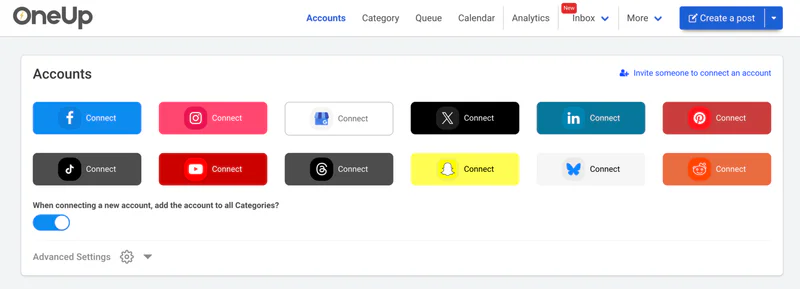
MCP is a connection, not magic. It executes your instructions through the scheduler, and it cannot do things the scheduler itself cannot do. First, it cannot reach a network the scheduler does not support. OneUp's MCP covers 13 networks: Instagram, Facebook, TikTok, X, LinkedIn, Pinterest, YouTube, Snapchat, Threads, Bluesky, Discord, Reddit, and Google Business Profile.
Second, the assistant can make mistakes: the wrong time or account, or a draft you meant to keep private. Always review posts before they go out. OneUp has approval workflows for this.
Third, MCP does not write good content by itself. It can draft a caption, but the idea and voice are still yours. Finally, because the connection uses your API key, anyone with that key can schedule as you. Do not share it, and rotate it if exposed.
Schedulers with an MCP server: a short comparison
Only a handful of schedulers offer an MCP server. What matters is whether it can write as well as read, which plans include it, and how many networks it can reach. For the full roundup, see the 7 best social media schedulers with an MCP server in 2026.
Check four things: write access, not just read access; which plans include it; which networks it covers; and how authentication works — OAuth, API key, or both?
How to try it with OneUp
Trying MCP with OneUp takes a few minutes. Generate an API key in your OneUp account (gear icon, then "API and MCP"), then follow the hands-on guide to connecting Claude, ChatGPT, or Grok to your social media accounts via MCP for the step-by-step connection. OneUp is also an approved ChatGPT plugin.
Start small: schedule one post, ask what is coming up next week, and pull last month's top post. OneUp includes API and MCP on every plan: Basic $15/mo annual (5 accounts, extra $5 each), Growth $84/mo (30 accounts), Business $240/mo (80 accounts). Every plan has a 7-day free trial.
FAQ
Do I need to know how to code to use an MCP server?
No. If you can chat with Claude, ChatGPT, or Grok, you can use MCP. Setup is pasting a connector URL once, then you just ask in plain language.
Is an MCP server the same as an API?
No, but they are closely related. An API lets other software talk to a tool. An MCP server is a standard wrapper around that API that AI assistants understand, so no custom code is needed.
Can an MCP server post to any social network?
No. It can only post to the networks your scheduler supports. OneUp's MCP covers 13 networks, including Instagram, TikTok, YouTube, Snapchat, and Google Business Profile.
Is it safe to connect an AI assistant to my social accounts?
It is safe if you treat the API key like a password and review posts before they go live. The assistant can only do what the API allows. Do not share the key, and rotate it if exposed.
Try it for yourself
An MCP server will not write your strategy for you, but it will remove much of the busywork — fewer tabs, fewer copy-paste steps, and a schedule you can manage in conversation.
Start with OneUp's 7-day free trial and connect Claude, ChatGPT, or Grok through MCP. With 130,000+ users already scheduling on OneUp, you are trying the way scheduling is starting to work.