Schedule Facebook Posts, Reels, and Stories with OneUp
OneUp allows you to schedule posts, Reels, and Stories to your Facebook Page, and add First Comments
OneUp allows you to schedule posts, Reels, and Stories to your Facebook Page, and add First Comments
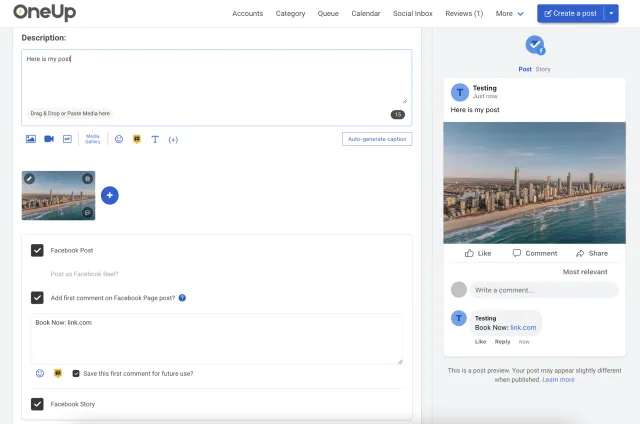
Here's how to schedule Facebook posts, Reels, and Stories with OneUp:
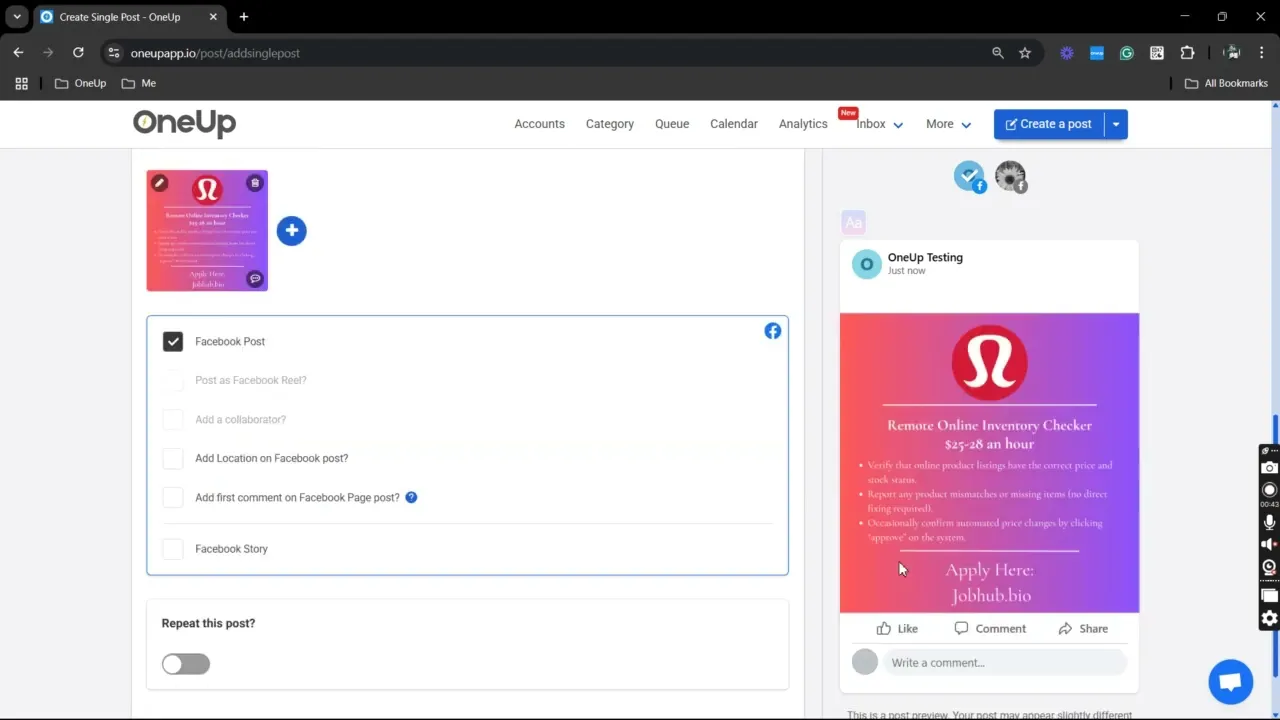
With OneUp you can schedule Facebook posts to one or multiple Facebook Pages at the same time.
Schedule Facebook Reels to one or multiple Facebook Pages at the same time.
Schedule Facebook Stories to one or multiple Facebook Pages at the same time.
You can add a First Comment to your Facebook posts and Facebook Reels.
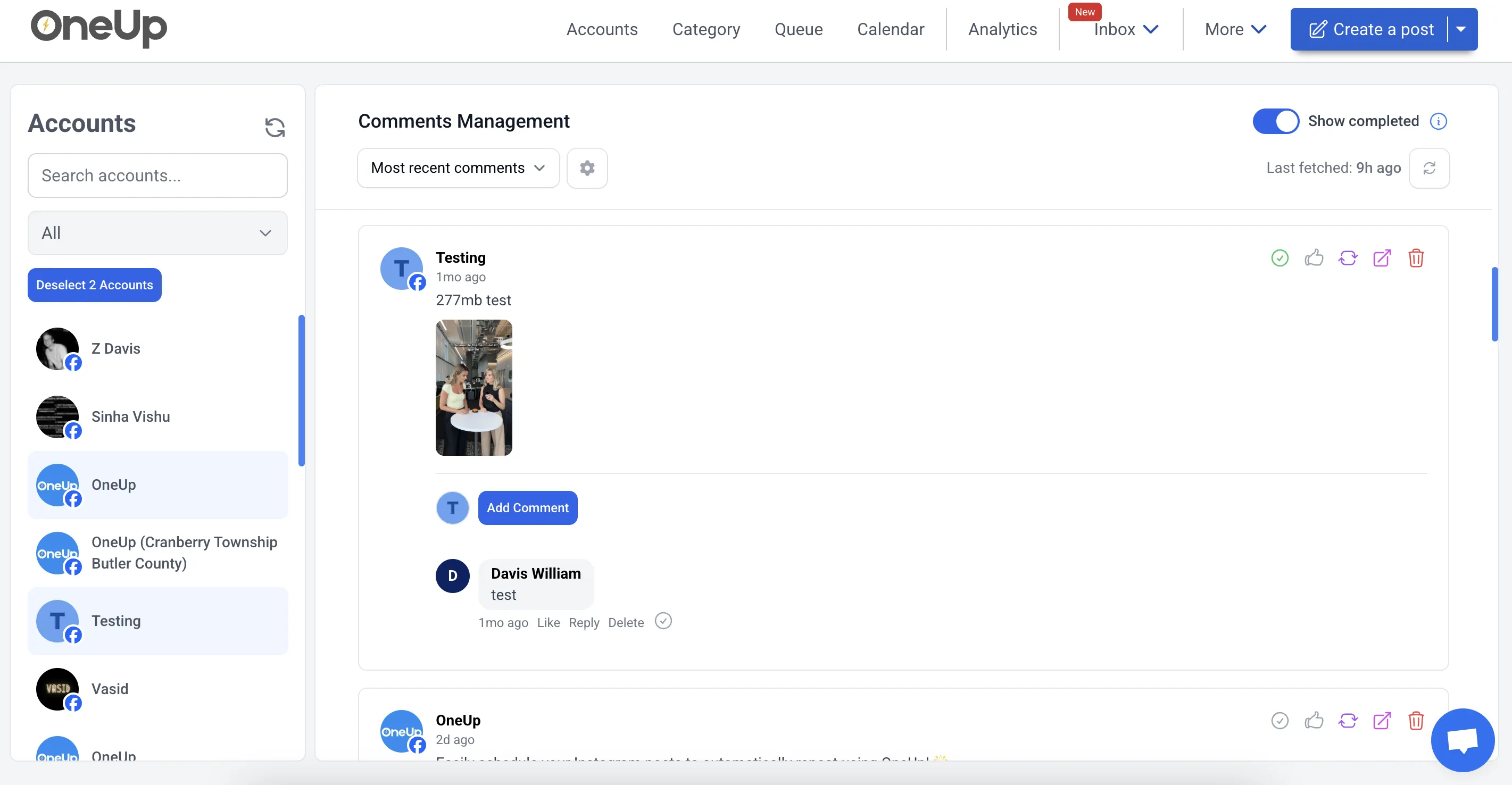
Reply to comments on your Facebook Page, save frequently used replies for easy access.
Reply to DMs on your Facebook Page, save frequently used replies for easy access.
OneUp allows you to tag collaborators on Facebook posts.
OneUp allows you to tag a location in your Facebook post.
You can tag Facebook Pages in your posts.
OneUp allows you to choose colored backgrounds for your text-only Facebook posts.
Send posts to team members, clients, or managers for approval.
Got writer's block? Just give OneUp a prompt, and OneUp will write your post's caption for you.
Set Facebook posts, Reels, or Stories to automatically repeat at whatever interval you choose.
OneUp supports Facebook, Instagram, YouTube, X, TikTok, LinkedIn, Threads, Bluesky, Snapchat, Pinterest, and Google Business Profiles.
Reply to Facebook comments and messages with OneUp’s Social Inbox.
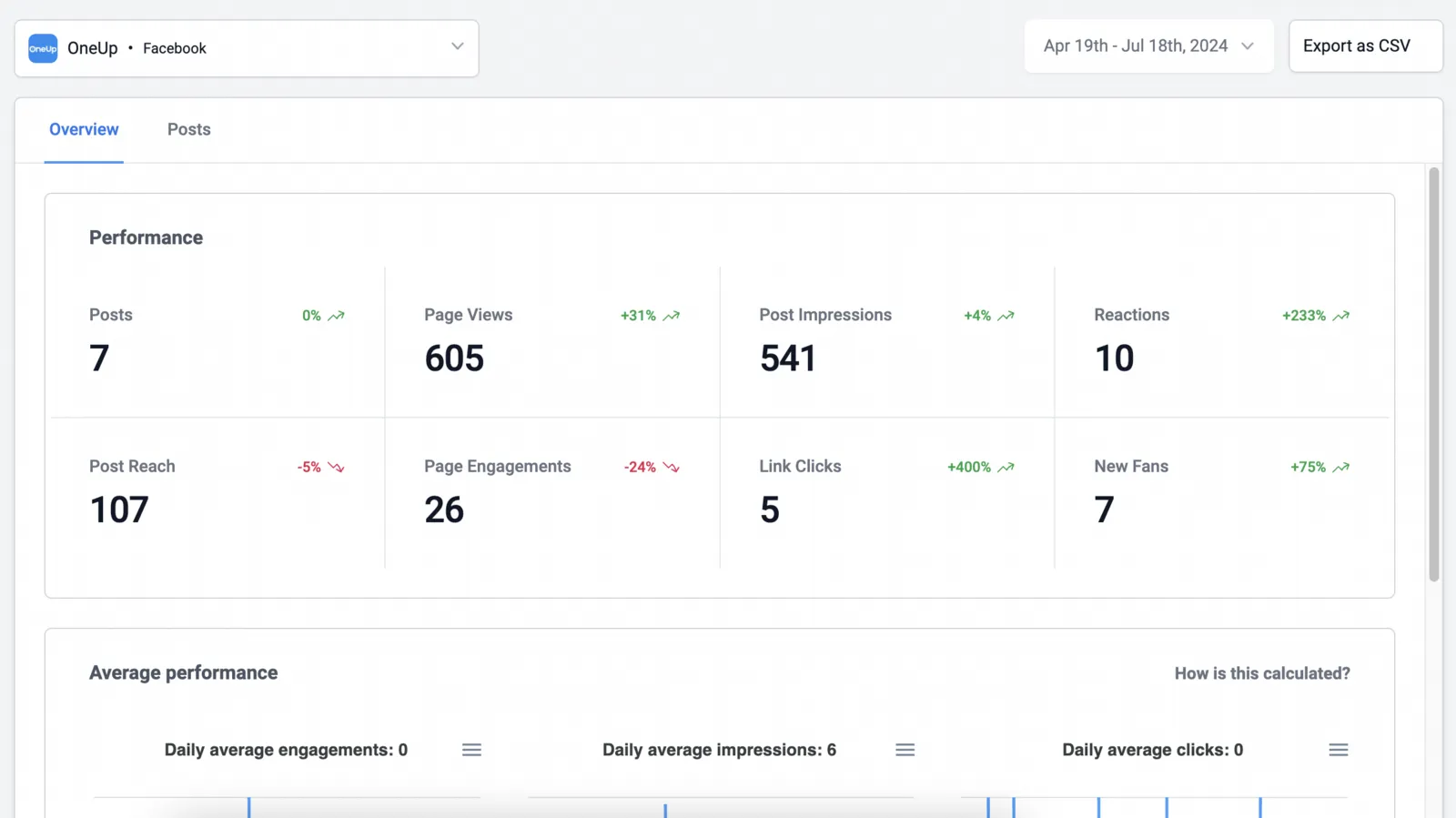
See the analytics you need, with the ability to set up automatic reporting emails.
⭐️⭐️⭐️⭐️⭐️ (Based on 400+ reviews on Capterra)
OMG when I found OneUp it solved all my social media scheduling issues!
Excellent customer service, extremly easy to use Oneup's platform.
I enjoyed the ease of the program.
OneUp supports Facebook, Instagram, YouTube, X, TikTok, LinkedIn, Threads, Bluesky, Snapchat, Pinterest, and Google Business Profiles.
Facebook scheduling lets you create posts in advance and choose when they should be published.
You can schedule Facebook posts, Reels, and Stories with OneUp. The tool also supports First Comments, colored background posts, location tags, Page tagging, and collaborator tagging.
Yes, Facebook posts can be scheduled to publish automatically at your selected time.
Yes, in addition to Pages and personal profiles, OneUp supports posting to Facebook Groups you're a member of or admin of via mobile notifications.
Yes, Facebook Stories can be scheduled to your Page with OneUp. This is useful for reminders, behind-the-scenes updates, offers, announcements, and short-form content.
Yes, you can schedule Facebook posts with multiple images.
OneUp provides Facebook Page analytics and reports.
Yes, OneUp's Social Inbox lets you reply to Facebook comments and Page messages.
OneUp doesn't auto-suggest a single best time, but its Facebook Page analytics and reports show when your audience is most engaged, helping you choose optimal posting times.
Scheduling Facebook posts helps you save time, stay consistent, and plan content ahead of time.
Connect your Facebook Page in OneUp, create your post, choose a publish date and time, and OneUp will publish it automatically.
You can try Facebook scheduling with OneUp for free, though full access requires reviewing the pricing page.