Schedule TikTok Posts with OneUp
Schedule and publish TikTok videos or image posts directly to your TikTok account, reply to TikTok comments, and view analytics reports with OneUp.
Schedule and publish TikTok videos or image posts directly to your TikTok account, reply to TikTok comments, and view analytics reports with OneUp.
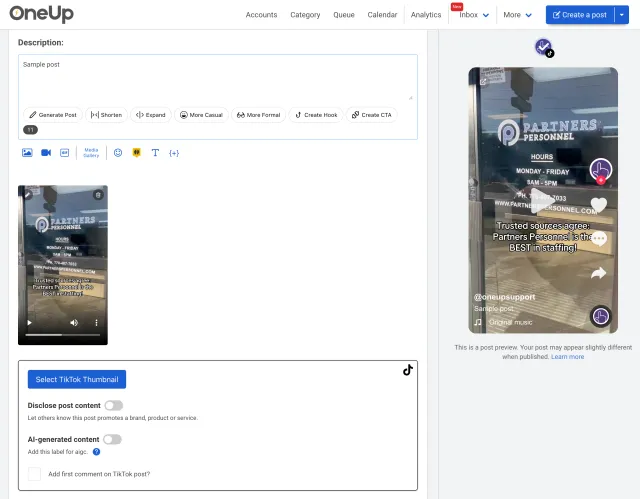
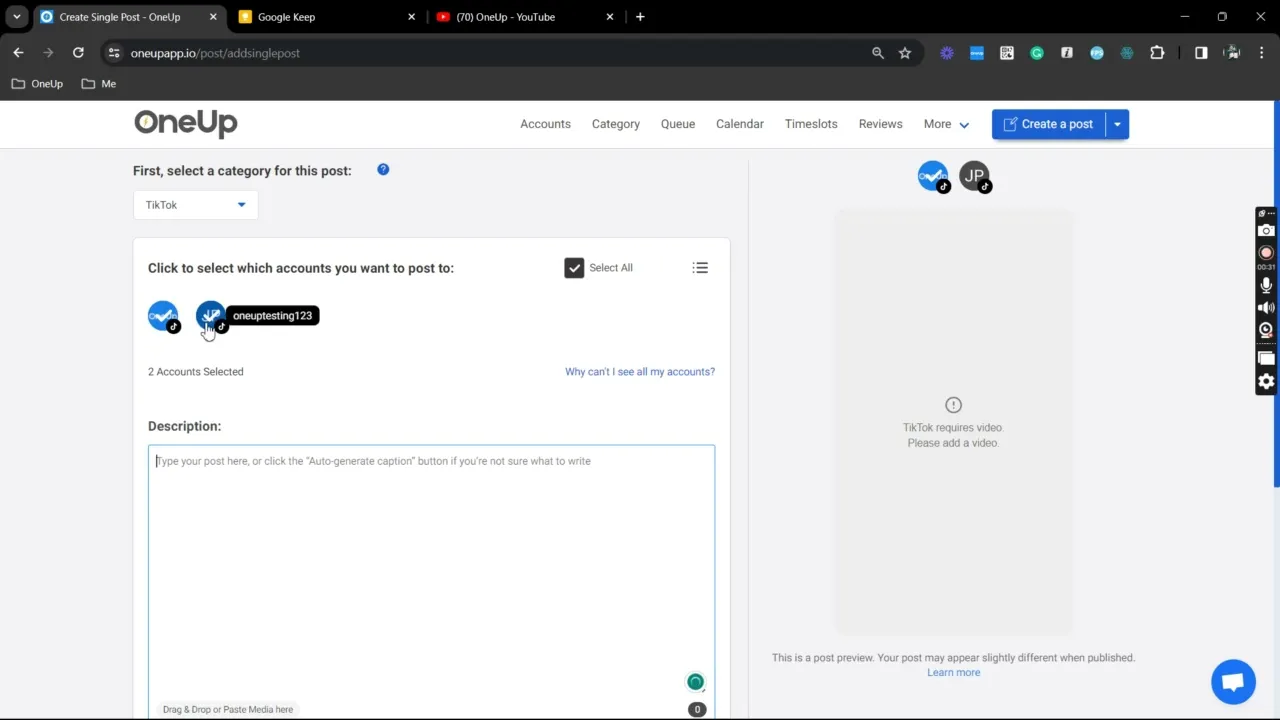
Here's how to schedule TikTok posts with OneUp:
Add a custom image as your TikTok video thumbnail — not just a selected frame, but a fully uploaded image of your choice.
Schedule TikTok image posts and enhance them with background music to make your content more engaging.
Set “Disclose post content” and “AI-generated content” options to keep your TikTok posts transparent and compliant.
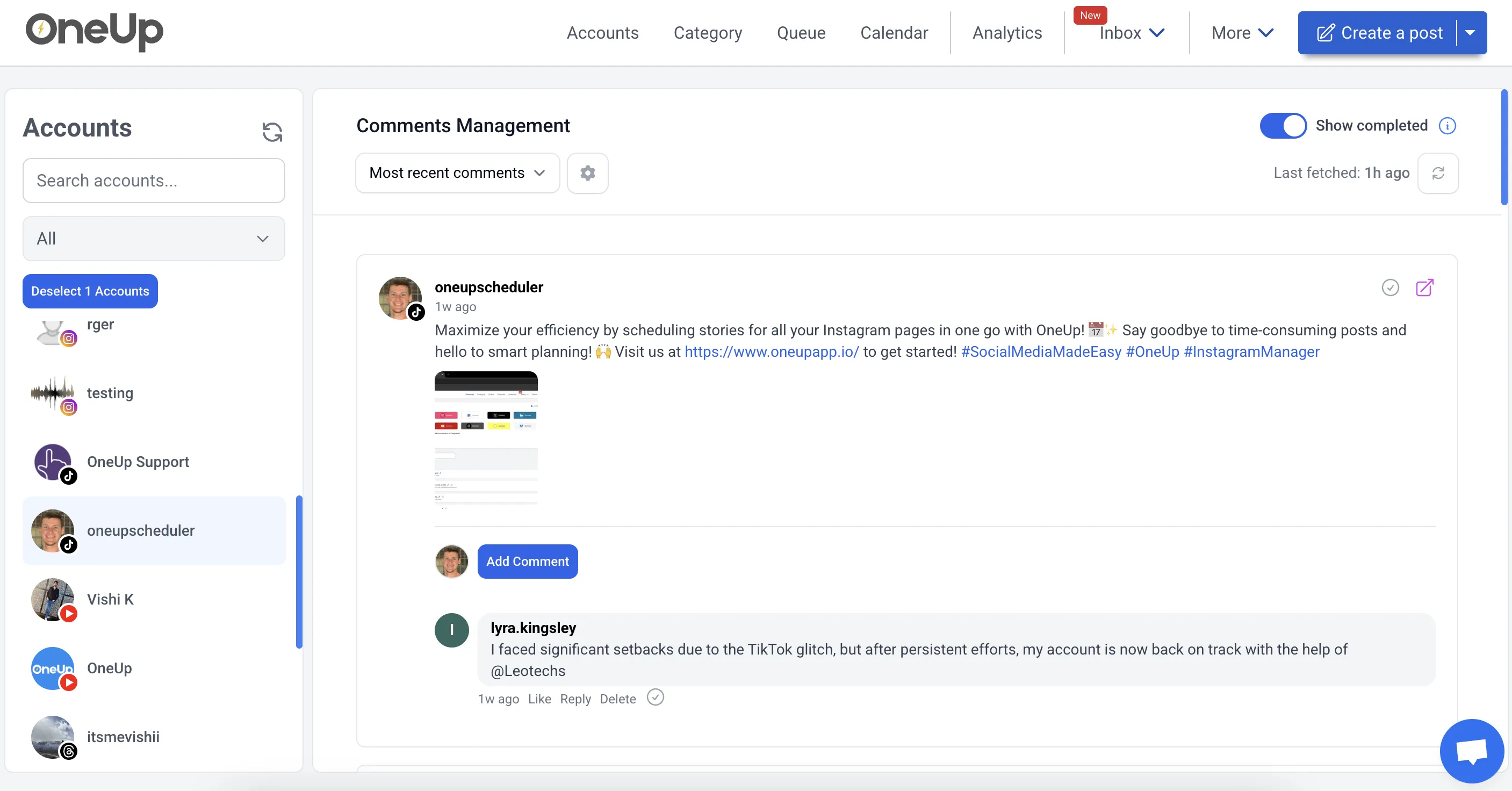
Reply to comments on your TikTok account, save frequently used replies for easy access.
Send posts to team members, clients, or managers for approval.
Got writer's block? Just give OneUp a prompt, and OneUp will write your post's caption for you.
Set TikTok posts to automatically repeat at whatever interval you choose.
OneUp supports Facebook, Instagram, YouTube, X, TikTok, LinkedIn, Threads, Bluesky, Snapchat, Pinterest, and Google Business Profiles.
OneUp supports adding music and trending audio to posts on TikTok.
Reply to TikTok comments with OneUp’s Social Inbox.
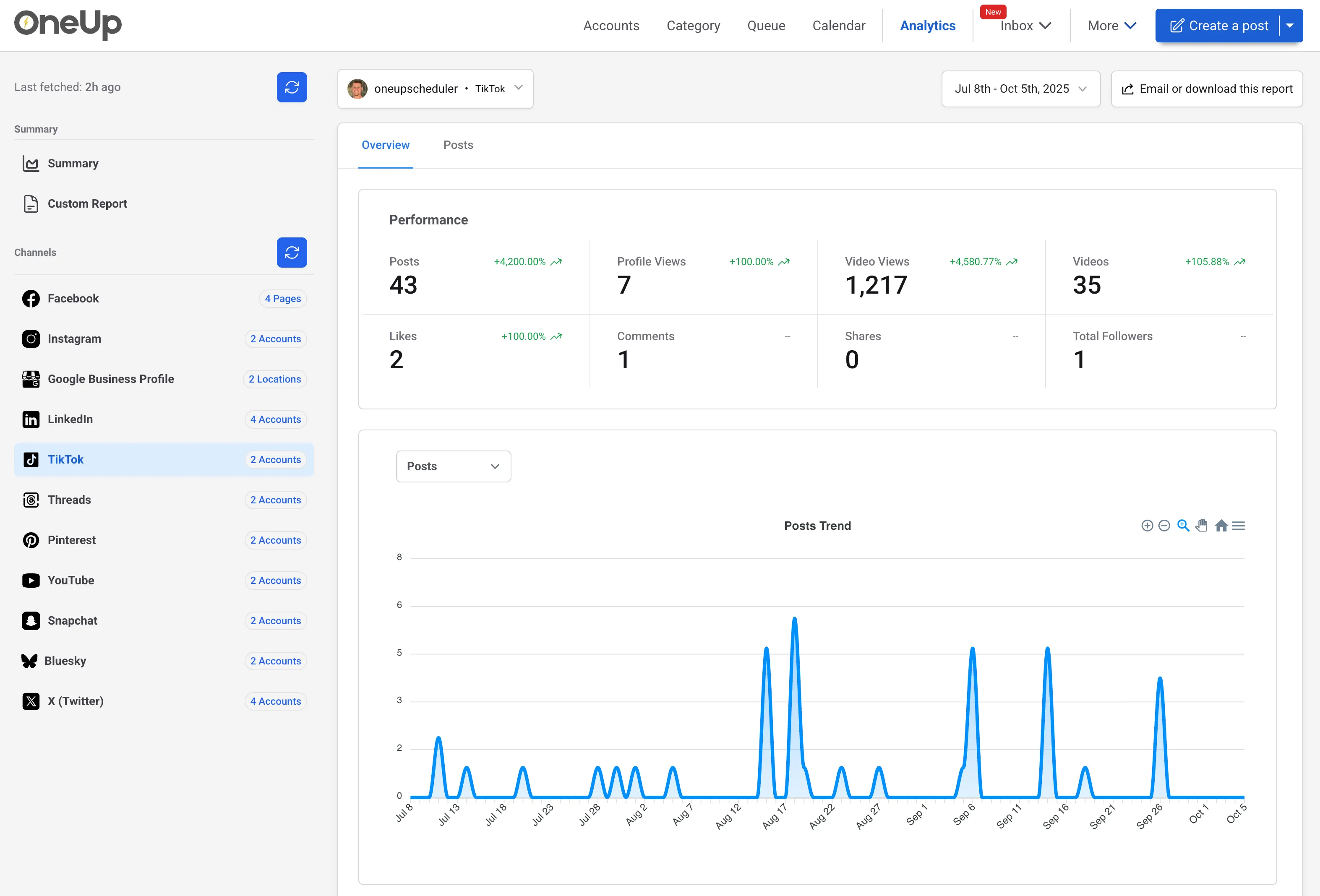
See the analytics you need, with the ability to set up automatic reporting emails.
⭐️⭐️⭐️⭐️⭐️ (Based on 400+ reviews on Capterra)
OMG when I found OneUp it solved all my social media scheduling issues!
Excellent customer service, extremly easy to use Oneup's platform.
I enjoyed the ease of the program.
OneUp supports Facebook, Instagram, YouTube, X, TikTok, LinkedIn, Threads, Bluesky, Snapchat, Pinterest, and Google Business Profiles.
Yes, OneUp lets you schedule TikTok videos and image posts ahead of time to maintain consistency without daily manual posting.
Yes, TikTok image posts can be scheduled in advance with OneUp. You can prepare the images, add captions, choose the posting time, and use background music.
Yes, you can add music or trending audio while preparing TikTok posts to enhance engagement and make your content feel natural on the platform.
Yes, OneUp allows you to upload custom thumbnails for TikTok videos, which may improve visual appeal and click-through rates.
Yes, TikTok content disclosure settings are supported for branded, promotional, or AI-generated content that requires proper disclosure.
Yes, OneUp includes a Social Inbox where you can manage and reply to TikTok comments without switching between apps.
Yes, TikTok analytics and reports are available in OneUp, with automatic reporting email options for performance monitoring.
Yes, TikTok posts can be sent for approval before they go live, for team, manager, or client review processes.
Yes, OneUp has an AI post writer that can help create TikTok caption ideas from a prompt.
Yes, TikTok posts can be set to repeat at a chosen interval, for evergreen or recurring promotional content.
Yes, OneUp supports cross-posting to TikTok and other social platforms, including Instagram, Facebook, YouTube, and more.
You can try TikTok scheduling with OneUp for free, with premium features and pricing available on the pricing page.