Schedule posts to Threads & multi-post threads to Threads with OneUp
Schedule single posts or multi-post threads to Threads, add topic to posts, reply to comments, and view analytics reports, all with OneUp.
Schedule single posts or multi-post threads to Threads, add topic to posts, reply to comments, and view analytics reports, all with OneUp.
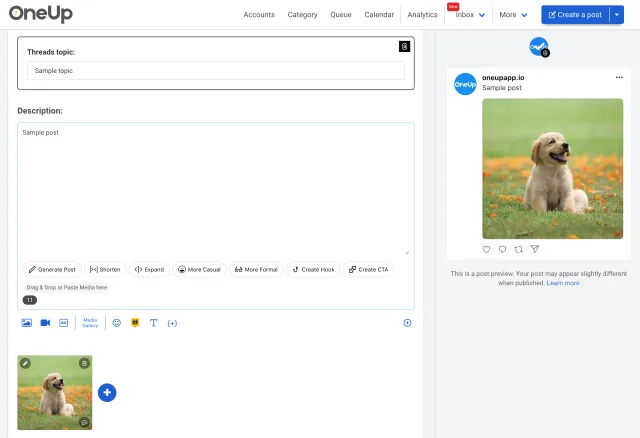
Here's how to schedule Threads posts and multi-posts with OneUp:
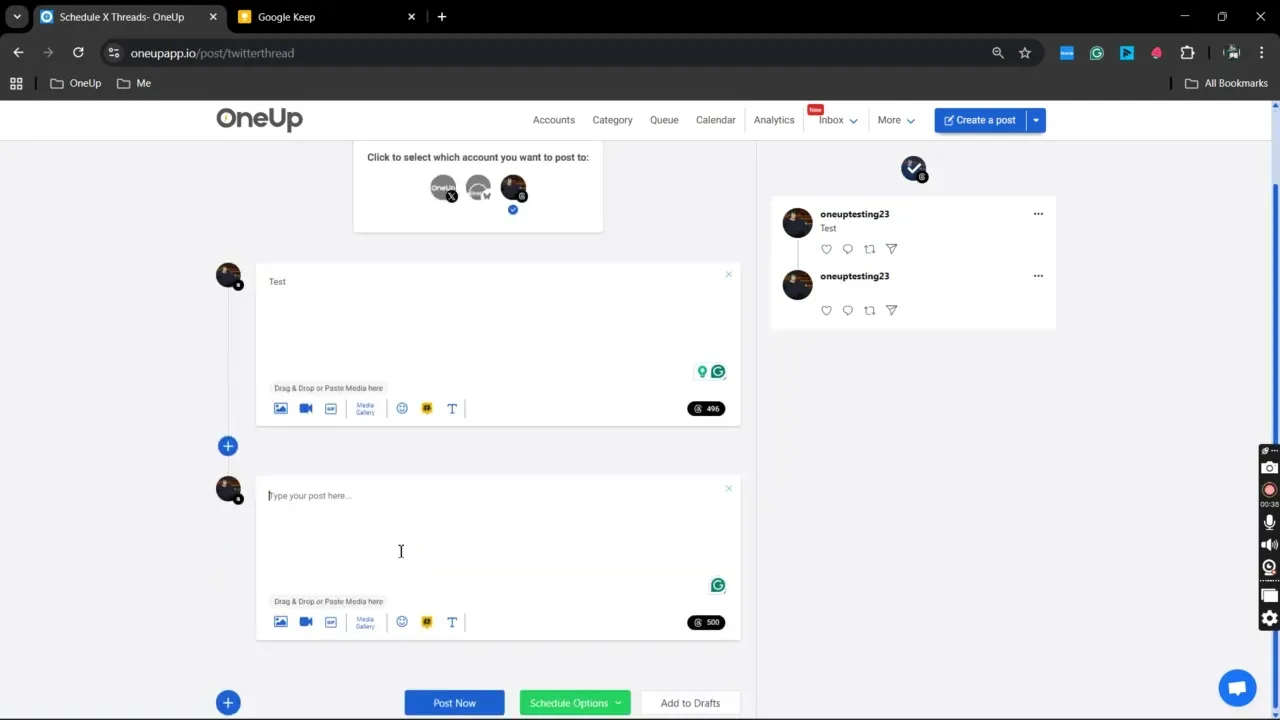
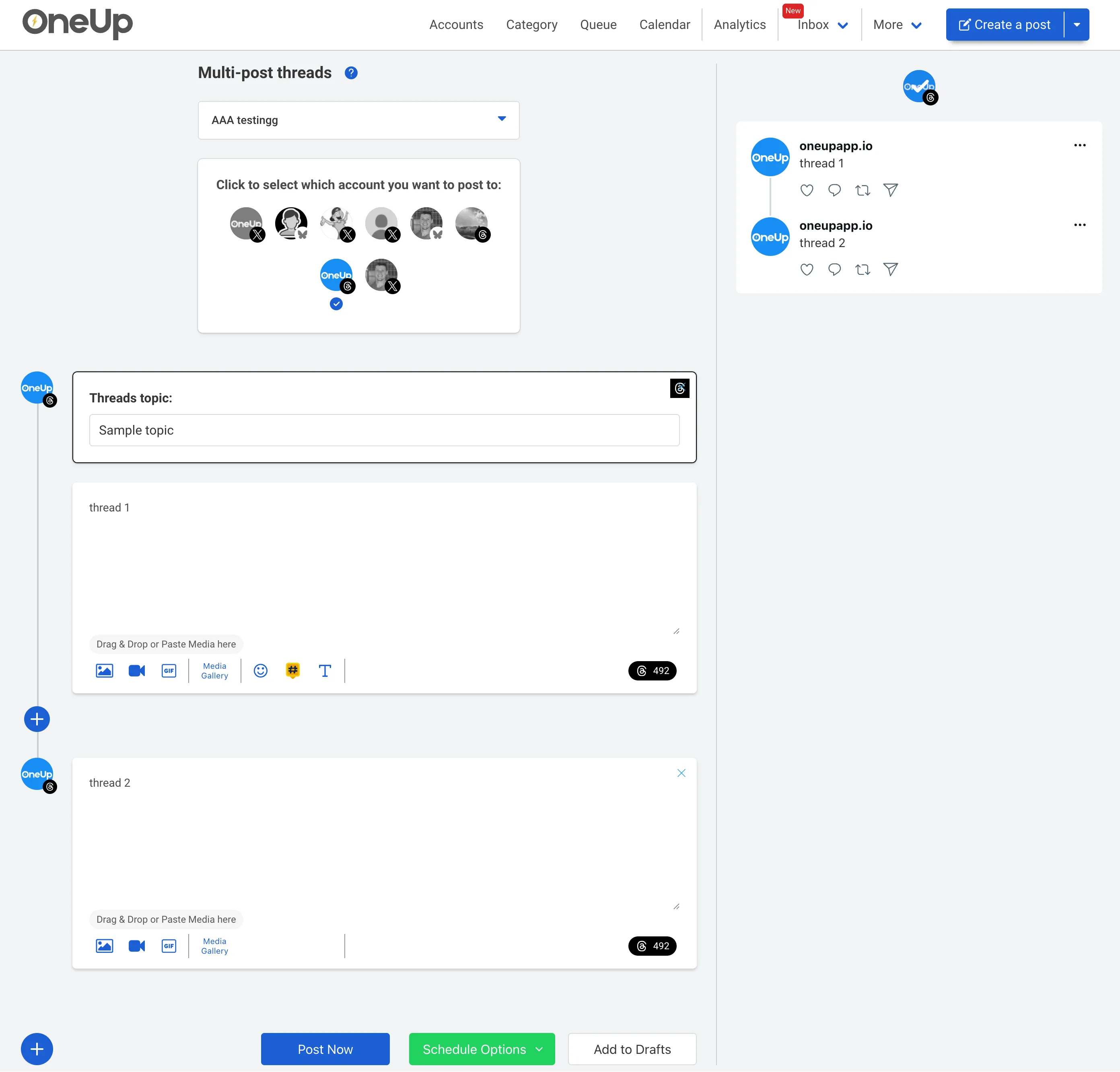
Easily create multi-post Threads that publish in sequence — perfect for long-form updates or storytelling.
Assign a topic to each Thread or post to keep your content organized and easy to find.
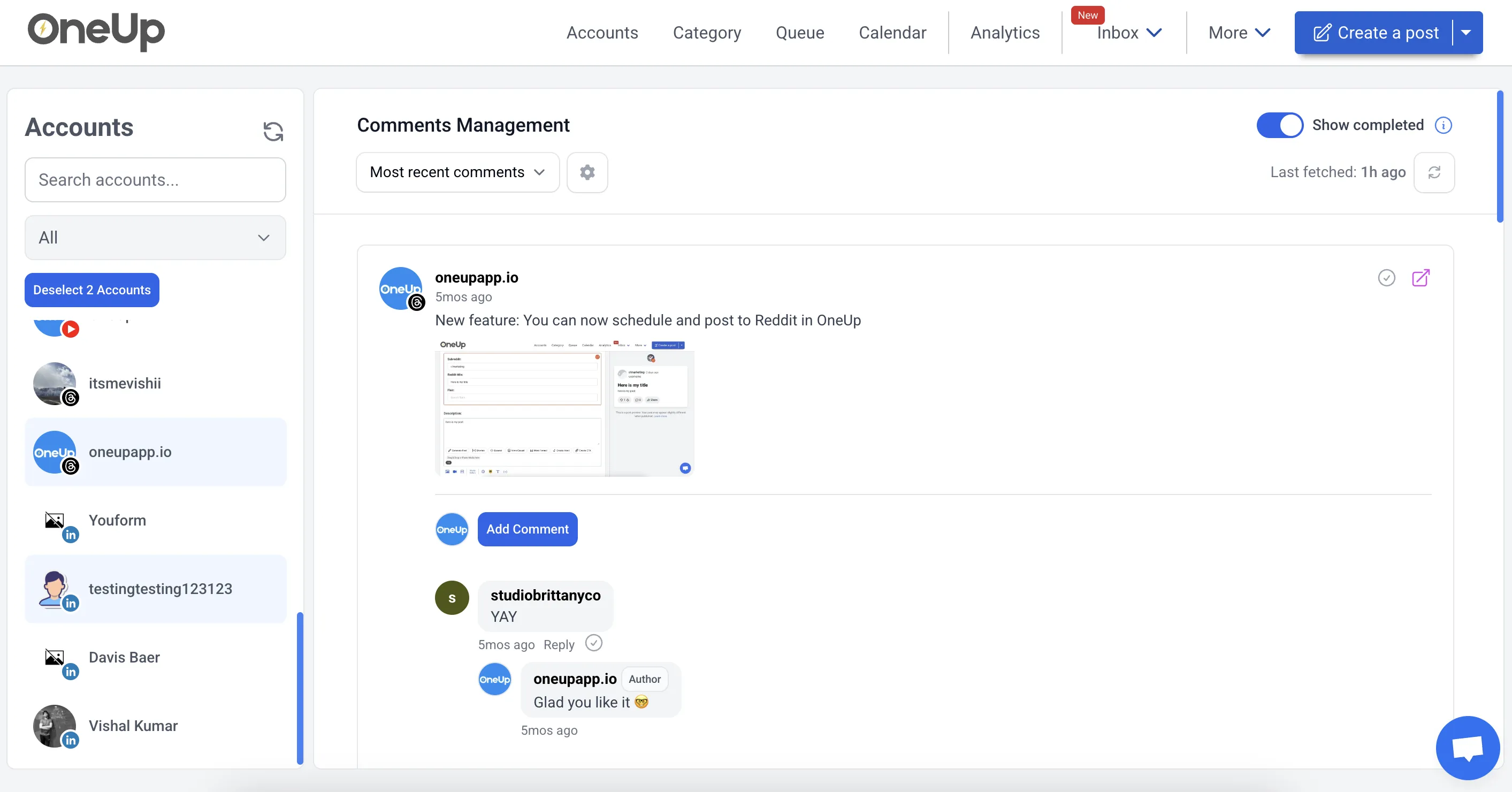
Reply to comments on your Threads Page, save frequently used replies for easy access.
Send posts to team members, clients, or managers for approval.
Got writer's block? Just give OneUp a prompt, and OneUp will write your post's caption for you.
Set Threads posts and multi-post threads to automatically repeat at whatever interval you choose.
OneUp supports Facebook, Instagram, YouTube, X, TikTok, LinkedIn, Threads, Bluesky, Snapchat, Pinterest, and Google Business Profiles.
OneUp supports both marking text as spoiler, and marking images as spoiler in Threads posts.
Schedule multi-post threads and adding topics to your Threads Public Profile
Reply to Threads comments with OneUp’s Social Inbox.
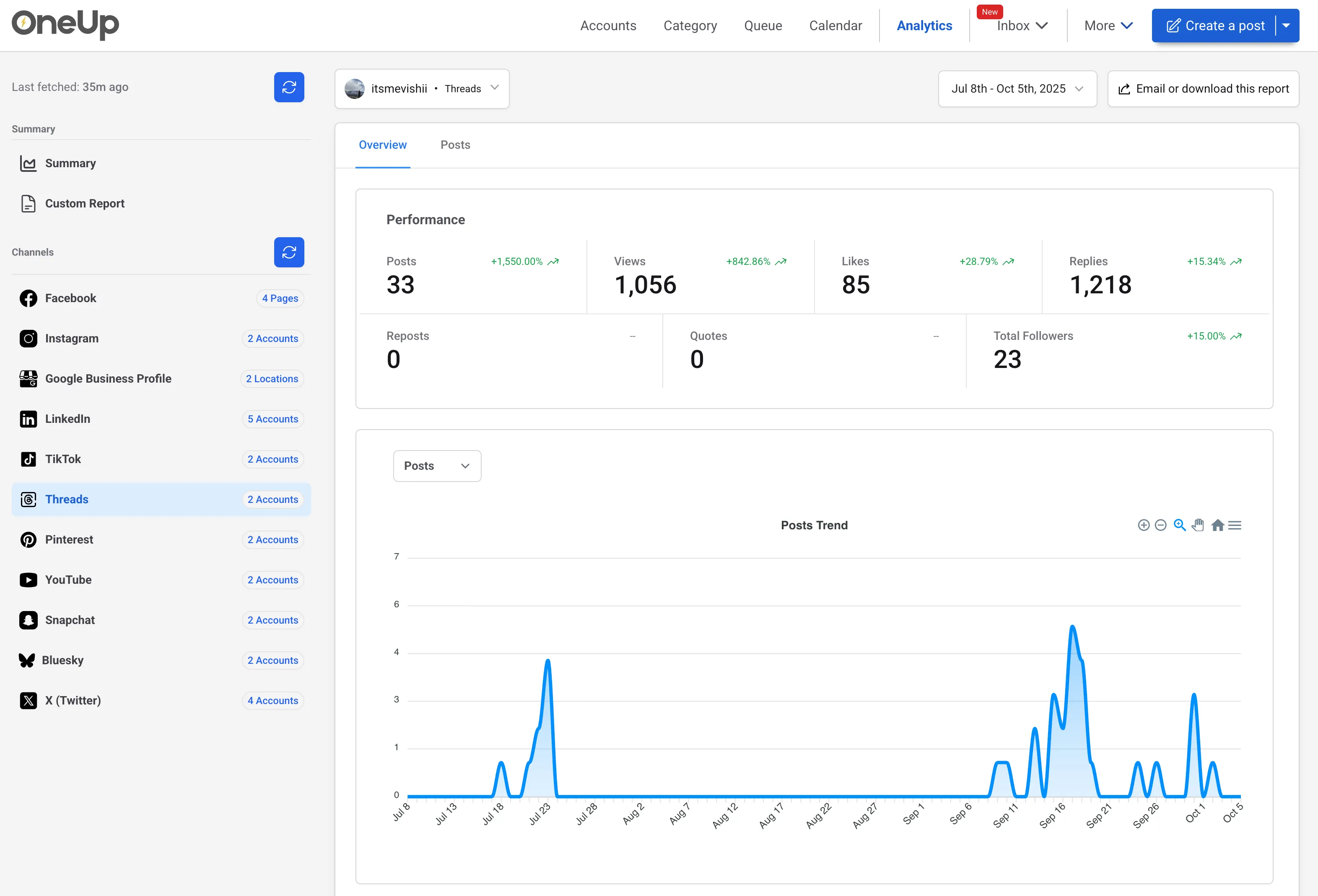
See the analytics you need, with the ability to set up automatic reporting emails.
⭐️⭐️⭐️⭐️⭐️ (Based on 400+ reviews on Capterra)
OMG when I found OneUp it solved all my social media scheduling issues!
Excellent customer service, extremly easy to use Oneup's platform.
I enjoyed the ease of the program.
OneUp supports Facebook, Instagram, YouTube, X, TikTok, LinkedIn, Threads, Bluesky, Snapchat, Pinterest, and Google Business Profiles.
Threads scheduling lets you create posts in advance and choose when they should be published.
Yes, OneUp supports multi-post Threads that publish in sequence. This is useful for storytelling, long-form updates, tutorials, announcements, and step-by-step content.
Yes, topics can be added to Threads posts while scheduling. This helps organize your content and makes each post easier to categorize around the right subject.
Yes, OneUp's Social Inbox lets you reply to Threads comments from one place. You can also save frequently used replies to handle common responses faster.
Yes, spoiler posts are supported for Threads content. You can mark text or images as spoilers when you want to hide sensitive, surprise, or reveal-based content.
Yes, Threads posts can be sent to clients, managers, or team members for approval. This is helpful for agencies, brands, and teams that need review before content goes live.
Yes, OneUp includes an AI post writer that can help create Threads captions from a prompt.
Yes, Threads posts and multi-post Threads can repeat at your chosen interval. This works well for evergreen content, recurring updates, announcements, reminders, and campaigns.
Yes, OneUp provides Threads analytics and reports. You can review performance data and set up automatic reporting emails to track results more easily.
Yes, OneUp supports posting to Threads and other platforms from the same dashboard.
Yes, brands can use OneUp to plan Threads posts, create multi-post updates, manage comments, repeat evergreen content, and review performance.
To start scheduling Threads posts, connect your Threads account to OneUp, create a single post or multi-post Thread, add your content and settings, then choose the date and time you want it to publish.
You can try Threads scheduling with OneUp for free. For full feature access, account limits, and current pricing details, check OneUp's pricing page before choosing a plan.