Auto-Post Your Facebook Videos & Images To Pinterest
The next time you post images or a video on Facebook, it gets published automatically to Pinterest without you lifting a finger. Or you can post your entire back catalog of existing Facebook posts to Pinterest on a schedule.
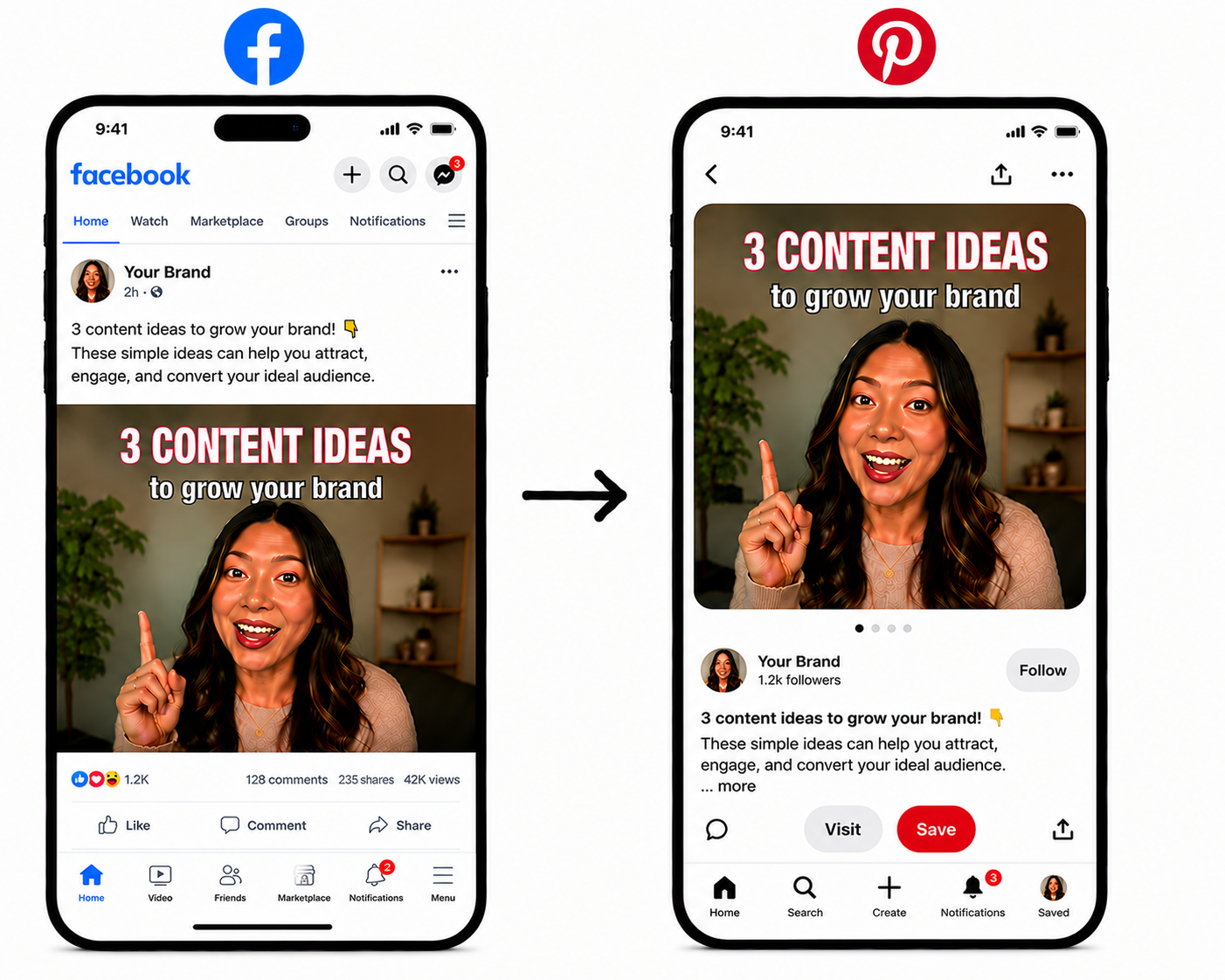
Repurpose in 3 Simple Steps
Get started in under 2 minutes with our easy setup process.
Connect Your Accounts
Connect your Facebook and Pinterest accounts. Takes just 25 seconds.
Create a Workflow
Create a workflow to send your Facebook videos and images to Pinterest plus any other social networks you choose.
Publish Automatically
Moving forward, every video or image you publish to your Facebook account will automatically post to Pinterest (and any other social networks you choose).
Why Use OneUp for Repurposing
Focus on growing your business while your content grows with you.
Save Hours Every Week
Stop manually reposting content. Let OneUp handle it automatically so you can focus on what matters.
Reach More People
Expand your reach across multiple platforms without extra work. Get your content in front of more eyeballs.
Consistent Posting Schedule
Maintain an active presence on all platforms effortlessly. Never miss a posting opportunity again.
Music
Any music you add to your video also gets applied to your cross-posted video.
Thumbnails
Any thumbnail you add to your video also gets applied to your cross-posted video.
Add Delay
Optionally add a delay between when you post your video to your main account and when it gets posted on your other accounts. (Example: Post to my other accounts 24 hours after it's posted to my main account)
Control which posts get cross-posted
OneUp gives you the option to only cross-post posts that contain a certain keyword or hashtag in the caption. Or to skip posts that contain a certain keyword or hashtag.
Auto-post existing posts
Automatically post your entire back catalog of posts from one account to all your other accounts. Add an interval between posts to drip them out over time.
Frequently Asked Questions
Can I automatically post Facebook videos and images to Pinterest?
Yes. With OneUp, you can create a workflow that automatically cross-posts your Facebook videos and images to Pinterest. Once the workflow is set up, new content is automatically published to Pinterest without needing to download and re-upload manually.
Can I cross-post my entire back catalog of existing posts from Facebook to Pinterest with OneUp?
Yes, OneUp supports cross-posting all your existing posts from Facebook to Pinterest on a schedule, so you can drip the posts out over time.
What if I want to cross-post some but not all of my posts from Facebook to Pinterest?
OneUp’s keyword filter feature gives you the option to only cross-post posts that contain a certain keyword or hashtag in the caption. Or to skip posts that contain a certain keyword or hashtag.
Does OneUp cross-posting work even if I publish directly from the Facebook mobile app?
Yes. OneUp will auto-post your Facebook posts to Pinterest, regardless of whether the post was created on the Facebook mobile app, the Facebook website, or a scheduling tool.
Does OneUp automatically detect new Facebook posts?
Yes. OneUp automatically checks your Facebook account for new content and can repurpose that content to Pinterest and other social networks based on the workflow you create.
Can I cross-post Facebook videos to Pinterest with music?
Yes. Any music you add to your Facebook video is carried over when OneUp cross-posts the video to Pinterest.
Can I automatically post Facebook content to multiple Pinterest accounts?
Yes. You can connect multiple Pinterest accounts and create workflows that publish content to one or more Pinterest profiles automatically.
Do I need to download Facebook videos before posting them to Pinterest?
No. OneUp automatically handles the transfer between Facebook and Pinterest. There is no need to download videos to your device and upload them again manually.
Can I delay posting to Pinterest after publishing on Facebook?
Yes. OneUp allows you to add a delay between when content is published on Facebook and when it gets published on Pinterest. For example, you can have Pinterest posts go live 24 hours after the original Facebook post.
Can I cross-post Facebook content to platforms other than Pinterest?
Yes. In addition to Pinterest, OneUp can automatically repurpose content to TikTok, Instagram, Facebook, YouTube, X (Twitter), LinkedIn, Threads, Bluesky, Pinterest, Snapchat, and more.
Will my Pinterest thumbnail be preserved?
Yes. OneUp supports custom thumbnails for Pinterest videos, allowing your cross-posted content to maintain a consistent appearance across platforms.
Ready to Automate Facebook to Pinterest Posting?
Start repurposing your Facebook content today with OneUp.