OneUp API
With the API, you can programmatically integrate OneUp’s scheduling and publishing workflows directly into your apps, dashboards, or automation tools.
With the API, you can programmatically integrate OneUp’s scheduling and publishing workflows directly into your apps, dashboards, or automation tools.
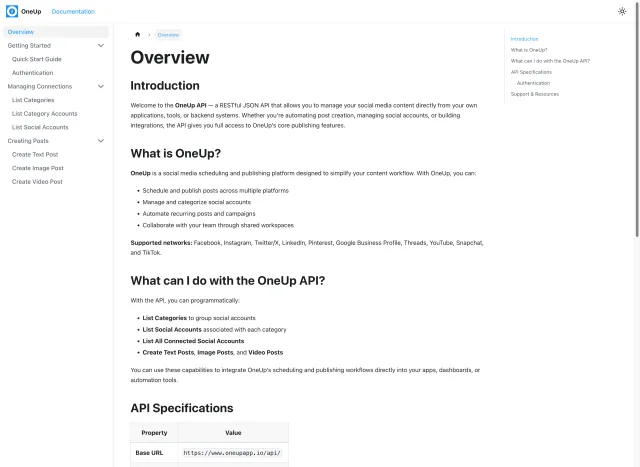
With the API, you can programmatically:
Group social accounts.
Associated with each category.
View all connected social accounts programmatically.
The Create Text Post endpoint allows you to schedule and publish text-based posts to one or multiple connected social accounts under a specific category. You can set the post content, assign it to a category, and define the date and time for scheduling.
The Create Image Post endpoint allows you to schedule and publish image-based posts to one or multiple connected social accounts under a specific category. You can set the post content, attach one or more images, assign it to a category, and define the date and time for scheduling.
The Create Video Post endpoint allows you to schedule and publish video-based posts to one or multiple connected social accounts under a specific category. You can set the post content, attach a video URL, assign it to a category, and define the date and time for scheduling.
OneUp supports Instagram, Facebook, YouTube, X, TikTok, LinkedIn, Threads, Bluesky, Snapchat, Pinterest, and Google Business Profiles.
The OneUp API lets you schedule and publish text, image, and video posts to one or more connected social accounts, list the social accounts on your account, and organise posts by category — all programmatically, without using the OneUp dashboard.
The API supports the same networks as OneUp itself: Instagram, Facebook, YouTube, X, TikTok, LinkedIn, Threads, Bluesky, Snapchat, Pinterest, and Google Business Profiles.
The full API reference, including endpoints, parameters, and examples, is at docs.oneupapp.io.
Yes. The create post endpoints accept a date and time, so you can schedule content ahead rather than publishing immediately.
Yes. The create post endpoints accept multiple connected social accounts under a given category, so a single request can publish the same post across several networks.
The API is part of OneUp, so you need an active OneUp account to authenticate and publish. You can start with a free trial — see the pricing page for current plans.